 Clearbox
Local-first · No account needed
Capture the thought.
Clear the mind.
Clearbox is a local-first desktop queue for temporary notes. Capture in a keystroke, process on your own time. Private by default, no account required.
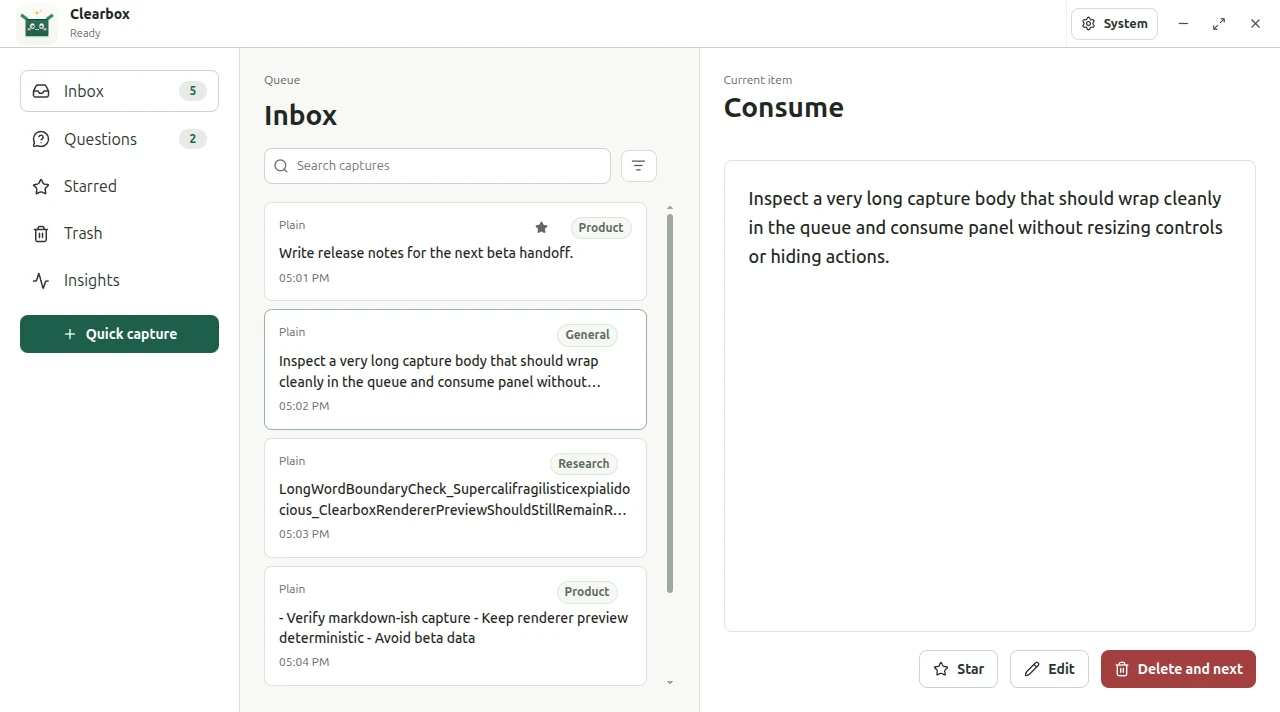
The calm inbox that comes before your knowledge base: the first stop ahead of Obsidian, Notion, Todoist, or Readwise. Capture first, filter later.
From a fleeting thought to a clear inbox
One simple loop: put the thought somewhere safe now, decide what it deserves later.
Capture
Hit Ctrl Shift Space, type, press Enter. Saved and gone.
Queue
Every capture lands in your Inbox, in order, waiting quietly.
Consume
Process one card at a time in the reading panel.
Classify
File it into a Space if it earns one, or don't.
Trash
Done with it? Delete is non-destructive: it moves to Trash.
Restore
Changed your mind? Bring it back, whole, from Trash.
Everything you need to capture, nothing you don't
No system to design before you can save a thought. Just fast capture, calm triage, and a few tools for when you're ready.
Quick Capture, from anywhere
A global shortcut opens a hidden capture window over whatever you're doing. Type, press Enter to save, Esc to dismiss. Classification waits until you're back at your desk.
Spaces
Optional local topics for projects, clients, or courses. General holds everything unfiled.
Questions
Start a capture with ? and it routes to its own queue, keeping open loops separate.
Local search
Full-text search across Inbox and Questions, scoped by the Space you're in.
Insights
See your capture rhythm: a daily chart and per-Space breakdown, 30-day or all-time.
Attachments
Attach files, drop in screenshots and images, captured alongside the note.
Trash & Restore
Delete is safe. Items rest in Trash with a purge date, restorable until then.
Lives in your tray, updates itself
Close the window and Clearbox slips into the system tray, ready for the next capture. Silent auto-updates keep you current on the beta or stable channel. No store, no nags.
Calm to capture, calm to clear
Paper-white surfaces, ink-green accents, and just enough structure. Here's the real app.
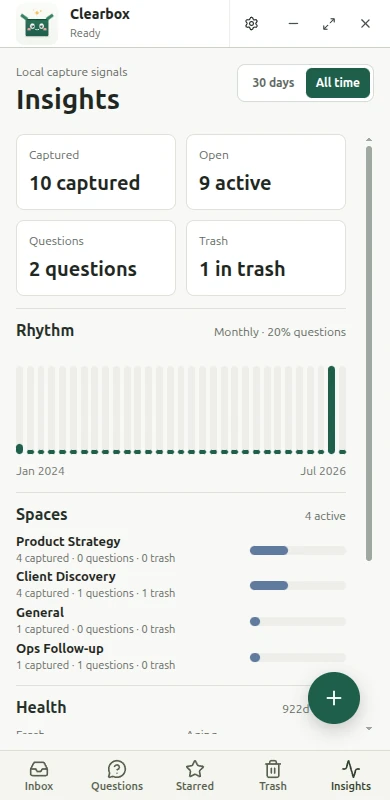
Insights
Your capture rhythm at a glance: counts, a daily chart, and where your thoughts land.
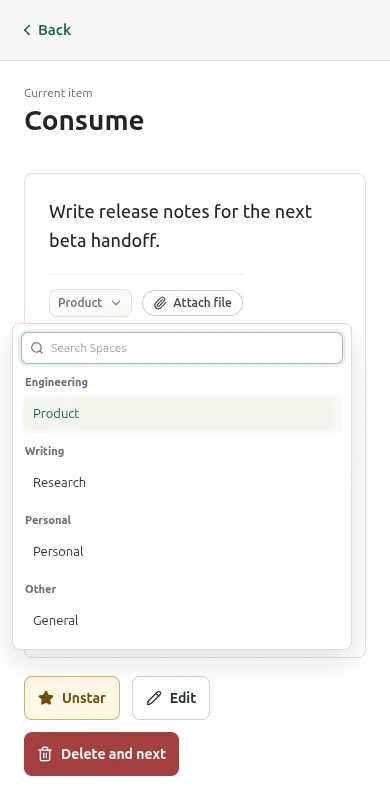
Spaces
File a capture into a project, client, or course, or leave it in General.
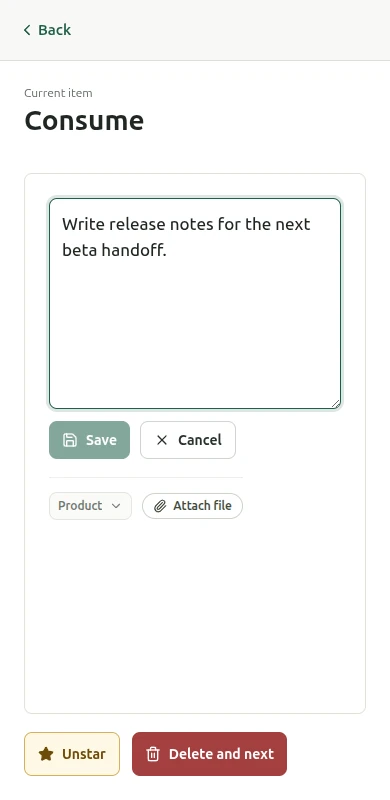
Consume
Read, edit, star, attach, or clear, one card at a time. Then on to the next.
Privacy
Your thoughts stay on your machine
Clearbox starts in local mode. No registration, no login, no access token, no purchase check. Everything works offline, out of the box. If you ever want multi-device sync, you turn it on. Until then, nothing leaves your device.
Stored in local SQLite
Your captures live in a single database file on your own disk, yours to back up, move, or export.
No account required
Spaces, Inbox, Questions, Trash and Quick Capture all work with zero sign-up.
Sync only when you ask
Optional cloud sync stays off unless you deliberately enable it.
There's a command line, too
The same local core, from your shell. Capture into a Space, list your queue, or wire it to a GNOME shortcut. All local, with no localhost HTTP API to expose.
Installed on your PATH as clearbox where the platform allows.

Download
Get Clearbox
Free, local-first, and cross-platform. Pick your platform below.
iOS
Coming soonAndroid
Coming soonFree, no account required. Early Windows & macOS builds aren't code-signed yet, so expect a SmartScreen or Gatekeeper prompt on first launch. Linux requires GNOME on Wayland.